Introduction to Plant 3D Modeling
Plant 3D modeling has emerged as a pivotal component in the realm of design engineering, particularly for industries focused on the construction of process and industrial plants. This approach allows for the creation of intricate models that streamline operations, enhance accuracy, and facilitate collaboration among stakeholders. By leveraging advanced tools and techniques in Plant 3D modeling, engineers and designers can produce detailed representations of plant infrastructures, including piping systems and equipment configurations.
What is Plant 3D Modeling?
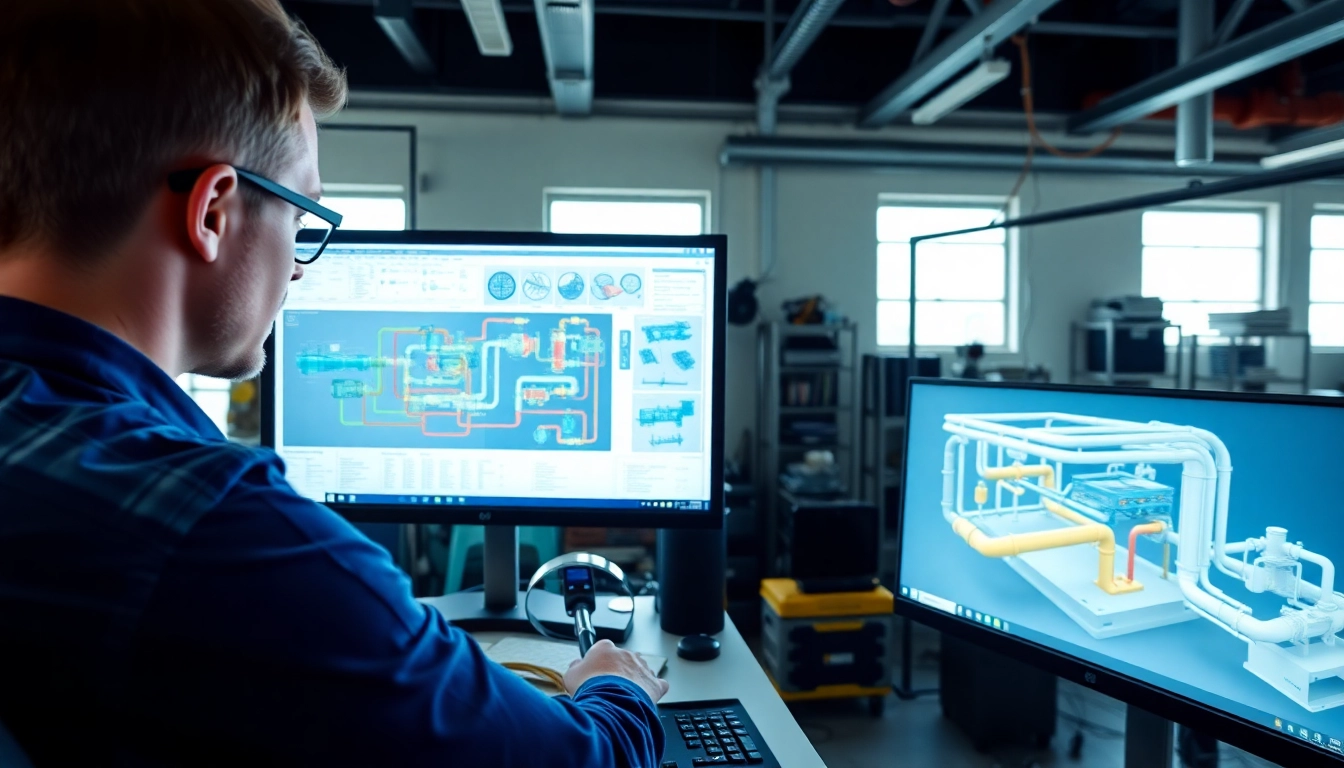
Plant 3D modeling refers to the process of creating three-dimensional representations of industrial plants using specialized design software. This modeling technique incorporates both the structural and functional aspects of various components, such as pipes, tanks, valves, and instruments, allowing for comprehensive visualization. By creating 3D models, stakeholders can understand better how different elements interact within the physical space of the plant, leading to improved design quality and reduced errors.
Importance of Plant 3D Modeling in Industry
The significance of Plant 3D modeling cannot be overstated in modern industrial design. This methodology offers numerous advantages, including:
- Enhanced Visualization: 3D views provide a more accurate representation of spatial relations, making it easier to detect potential design flaws early.
- Improved Collaboration: Stakeholders from various disciplines can work together seamlessly, sharing models and making real-time adjustments to designs.
- Efficiency in Design: Automated documentation generation reduces manual efforts, allowing quicker project delivery timelines.
- Cost Reduction: Identifying issues in the early design phase minimizes costly changes during construction.
Key Features of Plant 3D Modeling Tools
Plant 3D modeling tools are equipped with a variety of features that enhance the design and modeling process:
- Smart Plant Design: Intuitive software that understands industry standards and best practices.
- Integrated Design Environments: Seamless integration with other design and modeling tools to facilitate multi-disciplinary collaboration.
- Comprehensive Libraries: Access to extensive libraries of components, enabling quick assembly of plant models with standardized parts.
- Conflict Detection: Automated systems that identify clashes between different system components, reducing the risk of errors.
Getting Started with Plant 3D Modeling
Basic Setup for Your Plant 3D Environment
Setting up your Plant 3D environment requires a structured approach to ensure all necessary components are aligned. Follow these steps:
- Install the Plant 3D software on a capable workstation equipped with the necessary hardware specifications.
- Customize settings to align with specific industry standards and project requirements, ensuring precision in designs.
- Configure project directories to organize files effectively and streamline project management.
- Load relevant libraries and components that you will regularly use throughout your projects.
Creating Your First 3D Model
To create your first 3D model, follow these essential steps:
- Initiate a New Project: Begin with selecting a template that reflects the type of plant you intend to design.
- Add Components: Drag and drop piping, tanks, and other necessary equipment from the libraries onto your workspace.
- Define Piping Networks: Use built-in tools to define pipe specifications, routing, and connections.
- Validate the Design: Utilize automated checks to ensure everything complies with relevant regulations and standards.
Utilizing Standards and Libraries in Plant 3D
Utilizing comprehensive standards and libraries is crucial in Plant 3D modeling. Here’s how to maximize their benefits:
- Familiarize with Standards: Understand the standards relevant to your industry sector to ensure compliance.
- Customize Libraries: Tailor your component library based on frequently used items to improve efficiency.
- Update Regularly: Keep your standards and libraries updated to include the latest components and technology advancements.
Advanced Plant 3D Modeling Techniques
Integrating Piping and Instrumentation Diagrams
Integrating piping and instrumentation diagrams (P&IDs) with your 3D models is essential for seamless project execution:
- Direct Conversion: Utilize software features that allow for direct conversion of P&ID diagrams into 3D layouts, saving time and reducing workloads.
- Consistency Checking: Regularly verify the consistency between P&IDs and 3D models to avoid design discrepancies.
Efficient Workflow Strategies
Adopting efficient workflow strategies is essential to maximizing productivity during the Plant 3D modeling process. Consider these strategies:
- Modular Design: Divide large projects into manageable modules to allow for parallel development.
- Version Control: Implement strategies to track changes and updates in design files to avoid conflicts.
- Regular Reviews: Conduct peer reviews of models and designs to catch potential errors before they become problems.
Collaboration Tools in Plant 3D Modeling
Utilizing collaboration tools helps improve team coordination and reduces project delays:
- Cloud Solutions: Consider cloud-based platforms for sharing models with team members and stakeholders in real time.
- Mobile Access: Ensure that your project team can access models and documents remotely, facilitating ongoing collaboration.
Common Challenges in Plant 3D Modeling
Resolving Design Conflicts
Design conflicts often arise in complex 3D models. To manage these challenges:
- Conflict Detection Tools: Use automated tools to identify clashes and conflicts early in the design process.
- Collaborative Problem Solving: Involve diverse stakeholders in resolving conflicts, as multiple perspectives can lead to optimal solutions.
Troubleshooting Common Issues
Common issues in Plant 3D modeling can be effectively addressed with proactive troubleshooting:
- User Access Problems: Ensure users have the right permissions to access relevant models and libraries.
- Software Glitches: Regularly update software to fix bugs and improve overall functionality.
Response to Market Changes
Staying responsive to market changes is vital for successful Plant 3D modeling:
- Continuous Learning: Encourage teams to engage in ongoing training to stay abreast of new trends and technologies.
- Flexibility: Maintain adaptable project plans to accommodate changes in industry demands or regulations.
Future Trends in Plant 3D Modeling
Emerging Technologies Affecting Plant Design
The landscape of Plant 3D modeling is continuously influenced by emerging technologies:
- AI and Automation: Artificial intelligence applications can automate routine tasks, enhancing productivity.
- VR and AR Integration: Virtual and augmented reality technologies allow for immersive design reviews, enabling better client interactions.
Anticipated Changes in Industry Standards
As the industry evolves, several key changes to standards can be anticipated:
- Increased Sustainability Focus: Standards will likely incorporate sustainability metrics and processes in plant design.
- Greater Standardization: Continued alignment across sectors will promote uniformity in processes and practices.
Best Practices for Staying Updated
To keep informed about trends in Plant 3D modeling, consider the following best practices:
- Professional Development: Attend industry conferences and training workshops regularly.
- Networking: Engage with professionals in the field through forums and collaborative groups to share insights.
Frequently Asked Questions
What are the main benefits of using Plant 3D modeling?
Benefits include enhanced visualization, improved collaboration, efficient design processes, and cost savings by identifying issues early in the project.
Can Plant 3D integrate with other software?
Yes, Plant 3D software often supports integration with other CAD tools, facilitating seamless collaboration across disciplines.
How can conflicts in designs be detected early?
Create a comprehensive model incorporating automated conflict detection tools that identify issues before they escalate to actual problems.
Is it possible to customize the component libraries in Plant 3D?
Absolutely, users can customize component libraries to include frequently used elements adapted to specific project needs, enhancing efficiency.
What skills are essential for expertise in Plant 3D modeling?
Key skills include proficiency in CAD software, understanding of engineering principles, and strong collaboration and problem-solving capabilities.